Get full access to all Data Science, Machine Learning, and AI courses built for finance professionals.
One-time payment - Lifetime access
Or create a free account to start
A step-by-step guide covering Python, SQL, analytics, and finance applications.
Or create a free account to access more
Get full access to all Data Science, Machine Learning, and AI courses built for finance professionals.
One-time payment - Lifetime access
Or create a free account to start
A step-by-step guide covering Python, SQL, analytics, and finance applications.
Or create a free account to access more
This post provides an alternative to downloading stock prices in excel, for those who prefer to manage their portfolio in Google Spreadsheets.
Google Spreadsheets have become quite powerful and can be used to perform complex calculations and create dynamic dashboards. Just like in excel, you can import data from external sources into google spreadsheets. Let’s look at the different ways to do so. Open a new google spreadsheet and following the following steps.
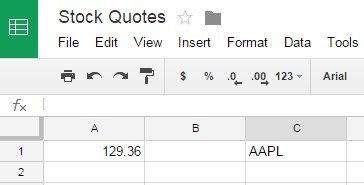
Let’s say you want to retrieve the last stock price for Apple. The symbol for Apple stock is AAPL.
In a cell type =GoogleFinance("AAPL","price")
The above function will fetch the current price for Apple stock from Google Finance.
The GoogleFinance function can be used to retrieve both current and historical information about the securities. The full format of the function is given below:
1GOOGLEFINANCE(ticker, [attribute], [start_date], [end_date|num_days], [interval])
21GOOGLEFINANCE("AAPL", "price", DATE(2012,1,1), DATE(2014,12,31), "DAILY")
2
You can also download the stock prices from Yahoo Finance. To do so, google spreadsheets come with a nifty function called IMPORTDATA that can be used to import data from a url in .csv/.tsv format. To retrieve the price of Apple stock from Yahoo finance, type the following function in Google Spreadsheet:
1=importdata(“http://download.finance.yahoo.com/d/quotes.csv?s=AAPL&f=sl1d1t1c1ohgv&e=.csv”)
2This will download all the information about the stock in the spreadsheet, including ticker name, last trade price, volume, etc.
Below is a description of the parameters:
I hope this information will help you manage your finances better. Please share in the comments below about how you retrieve and use this stocks data.